

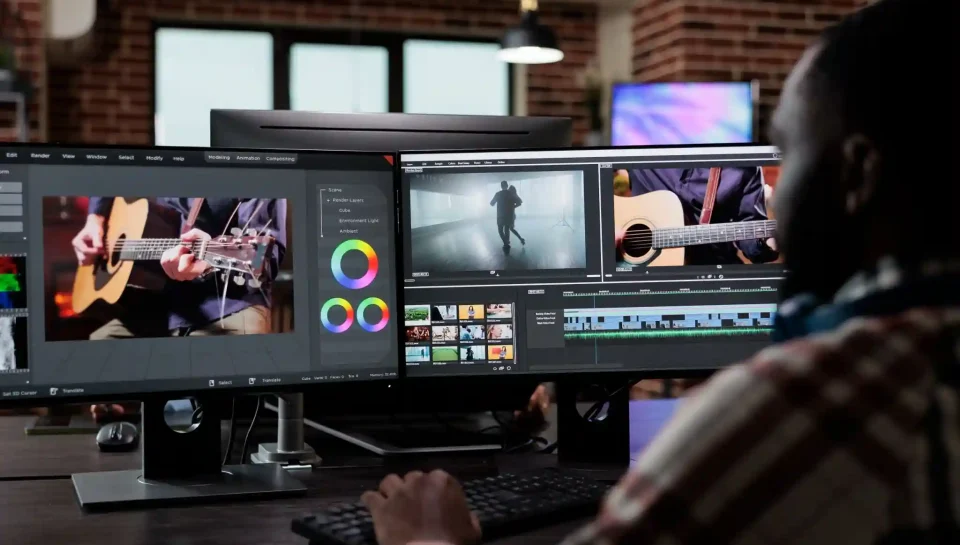
Video editing no longer belongs only to professionals. In 2026, beginner-friendly software gives new creators the tools to make polished, engaging videos without years of experience. Whether you’re making YouTube content, school projects, marketing videos, vlogs, short films, or social media clips, you can start editing with intuitive tools that simplify the entire process.
Today’s beginner software focuses on simplicity, automation, smart AI features, and drag-and-drop workflows. This makes it easier than ever to learn editing basics while creating clean and professional-looking videos. The key is choosing a platform that matches your comfort level, style, and creative goals. Too many features can overwhelm beginners, while too few can limit growth.
This guide breaks down the best beginner-friendly video editing tools of 2026, explaining what makes each option easy, enjoyable, and practical for new editors.
What Beginners Need in an Editing Tool
Before choosing software, it helps to understand what beginners actually need. The best beginner editing apps share a few essential qualities:
1. Simple Interface
A clean layout helps you find tools quickly without confusion.
2. Easy Learning Curve
Tutorials, templates, and guided workflows help you get started fast.
3. Essential Features Only
Beginners need cutting, trimming, transitions, audio tools, and text, not overwhelming advanced menus.
4. AI Automation
Automatic captioning, smart cuts, background noise removal, and templates save time.
5. Affordable or Free Plans
Budget-friendly tools help you learn before investing in advanced software.
When software meets these needs, beginners feel confident and motivated to continue improving their skills.
Top Beginner Video Editing Software for 2026
Below are the best, easiest, and most powerful beginner-friendly editing tools available in 2026.
1. CapCut (Desktop, Mobile, Web)
CapCut has grown from a mobile app into a full editing suite, and it remains the most beginner-friendly option in 2026.
Why beginners love it:
- Drag-and-drop editing
- AI captioning and subtitles
- Automatic beat-sync templates
- Smart background removal
- Easy effects for Reels, TikToks, and Shorts
- Free with optional upgrades
CapCut is perfect for social media creators who want fast, stylish videos with minimal manual editing.
2. Filmora 2026
Filmora is famous for its simplicity and polished output. The 2026 version adds improved templates, smarter AI tools, and better audio editing.
Best features for beginners:
- Intuitive timeline
- Large library of transitions and effects
- Easy green screen and masking
- Built-in music and sound effects
- AI reframing for vertical/horizontal formats
Filmora is ideal for YouTubers, students, educators, and hobby creators who want professional-looking videos without complexity.
3. iMovie (Mac + iOS)
iMovie continues to be Apple’s beginner editing tool, offering a simple interface that delivers clean results.
Why it’s a great starting point:
- Extremely easy to navigate
- Smooth editing on iPhone, iPad, or Mac
- Great color correction for beginners
- Beautiful built-in templates
- Seamless export to Apple devices
iMovie is perfect for beginners who want basic tools to learn editing fundamentals.
4. Adobe Premiere Rush
Premiere Rush is Adobe’s simplified version of Premiere Pro. It focuses on fast editing, mobile-friendly workflows, and social media output.
Why beginners choose Rush:
- Quick editing tools
- One-click audio cleanup
- Easy motion graphics templates
- Direct export to YouTube, Instagram, TikTok
- Cloud syncing across devices
Rush is ideal for beginners who want Adobe-quality editing without the complexity of Premiere Pro.
5. DaVinci Resolve (Beginner Mode)
DaVinci Resolve is a professional tool, but its 2026 Beginner Mode makes it accessible for new editors. This mode simplifies the interface and focuses on essential tools only.
Benefits for new editors:
- Beginner-friendly “Cut Page”
- Excellent color grading presets
- Auto audio sync
- Clean timeline
- Free version includes powerful features
It’s ideal for beginners who want room to grow into professional editing later.
6. HitFilm 2026 (Starter Edition)
HitFilm offers strong beginner features plus the option to add VFX tools later. The 2026 Starter Edition is designed specifically for new creators.
Why beginners like it:
- Simple editing timeline
- Easy transitions and effects
- Built-in VFX presets
- Helpful tutorial library
- Lightweight and fast
Great for beginners who want creative effects without complexity.
7. Canva Video Editor
Canva is known for design, but its video editor is surprisingly powerful for quick, clean, beginner-friendly video creation.
Notable features:
- Drag-and-drop video editing
- Thousands of templates
- Social media sizes auto-adjusted
- Great for ads, reels, and presentations
- Perfect for branding and graphic-heavy videos
Perfect for beginners who prefer template-based editing.
Which Software Should You Choose?
Different beginners have different needs. Here’s a simple breakdown to help you decide:
Best Overall for Beginners:
CapCut or Filmora
Best for Apple Users:
iMovie or Final Cut later
Best for Social Media Creators:
CapCut, Canva, or Adobe Premiere Rush
Best for Future Professionals:
DaVinci Resolve (Beginner Mode)
Best for Creative VFX Beginners:
HitFilm Starter Edition
Choosing the tool that matches your goals makes the learning process smoother and more enjoyable.
Key Features Beginners Should Focus On
Before learning advanced tricks, beginners should focus on mastering the basics:
- Cutting and trimming clips
- Adding transitions
- Correcting audio levels
- Adding text and captions
- Adjusting simple color settings
- Exporting in the right format
- Organizing clips logically
When you master these fundamentals, you can edit almost any type of video confidently.
Tips for Learning Video Editing as a Beginner
Learning video editing doesn’t need to feel overwhelming. Start with small, simple videos and improve steadily.
Helpful beginner tips:
- Practice with short clips
- Watch tutorials from each software
- Experiment with templates
- Add effects slowly
- Keep your first projects simple
- Don’t chase perfection
Video editing becomes easier the more you experiment.
FAQs
1. What is the easiest video editing software for beginners in 2026?
CapCut and Filmora are the easiest options. Both offer simple drag-and-drop tools, attractive templates, and automated features like auto-captions and smart sound cleanup. These tools reduce the learning curve and help beginners create high-quality videos instantly, even with limited editing experience.
2. Is DaVinci Resolve too advanced for beginners?
DaVinci Resolve is advanced, but its Beginner Mode and simplified “Cut Page” make it very beginner-friendly. Resolve allows new editors to start with basic tools and grow into professional-level editing over time. It’s a great option for beginners who want long-term editing potential without switching software later.
3. Do beginners need a powerful computer to start video editing?
Not for simple projects. Beginner-friendly software like CapCut, iMovie, Canva, and Rush work well on mid-range devices. A powerful computer is only necessary for heavy 4K editing, color grading, or advanced effects. Beginners can start with what they have and upgrade later as their skill grows.
Conclusion
Beginning your video editing journey in 2026 has never been easier. With user-friendly tools powered by templates, AI, and intuitive design, you can create polished videos without technical stress. Whether you’re editing on a laptop, phone, or browser, today’s beginner tools make creativity accessible with just a few clicks.
The key is choosing software that fits your goals. Start with simple tools like CapCut, Filmora, or iMovie, learn the basics, and build confidence. As you grow, you can transition into advanced suites like DaVinci Resolve or Premiere Pro. With consistent practice, your videos become smoother, more engaging, and more professional, unlocking endless creative possibilities.